importing repos into Gitea
| created on | August 29, 2025 |
Repos that have been created outside gitea can be imported, or in Gitea speak adopted, and managed by Gitea. I’m using both terms import and adopt here.
organization of repo files in Gitea
Gitea stores repos (the repo’s files) in the repo root dir of Gitea, which is defined in , section , config value , i.e.:
[repository]
ROOT = /opt/intra/srv/gitea-1.24.3/repo
The path for a repo within gitea’s repo root is , i.e. or .
importing repos into Gitea
For an organization or owner, multiple repos can be imported in a row.
Copy the repo (or multiple repos) to import into the appropriate repo dir within the gitea root.
Go to Site Administration, Code Assets, Repositories. In the Repository Management panel, click on Unadopted Repositories.
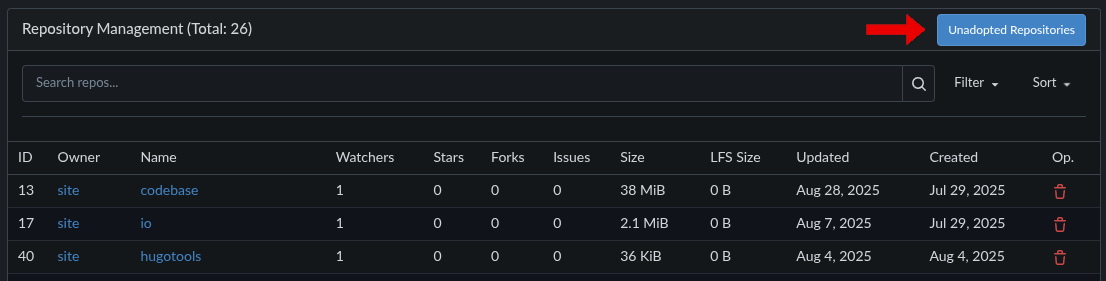
Repository Management panel
click on image to enlarge
x
In the Unadopted Repositories dialog, enter the name of the organization or owner for which the repo is to be imported, and click on the search icon.

Unadopted Repositories dialog
click on image to enlarge
x
The Unadopted Repositories dialog lists all unadopted repos in the repo directory of the corresponding organization/owner:
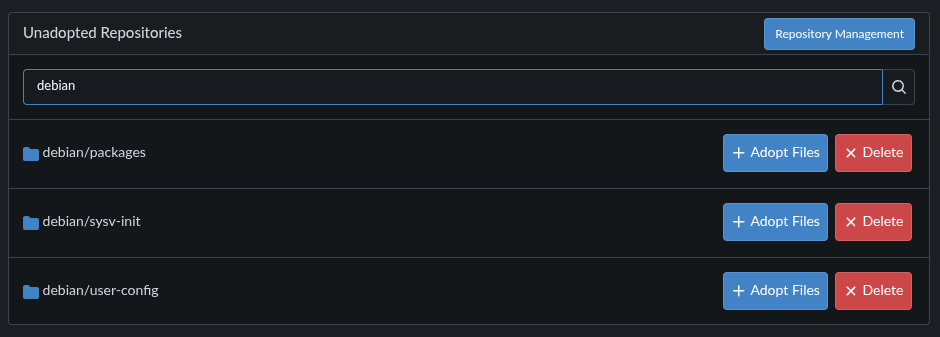
Unadopted Repositories dialog with unadopted repos list
click on image to enlarge
x
Click on Adopt Files for each unadopted repo and confirm to import the repo by clicking on Yes in the Adopt pre-existing files dialog. I do find the “Create repository from debian/packages” somewhat irritating, “Adopt/import repository from …” would be more suitable.
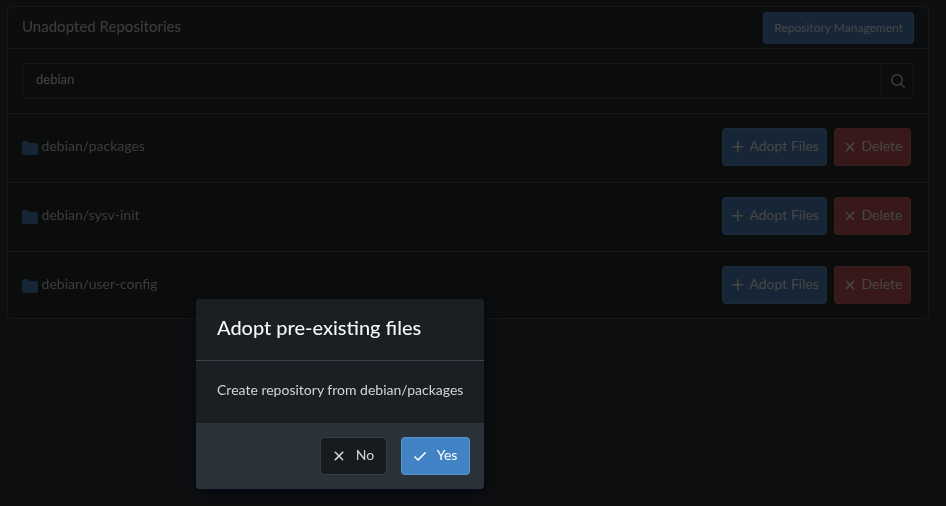
Unadopted Repositories dialog, importing repo confirm dialog
click on image to enlarge
x
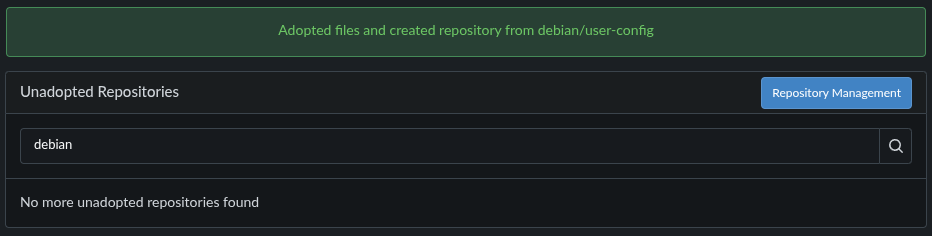
Successful import/adoption is indicated by a green bar at the top of the Unadopted Repositories dialog, which contains the message “Adopted files and created repository from …”. The imported is removed from the list of unadopted repos.
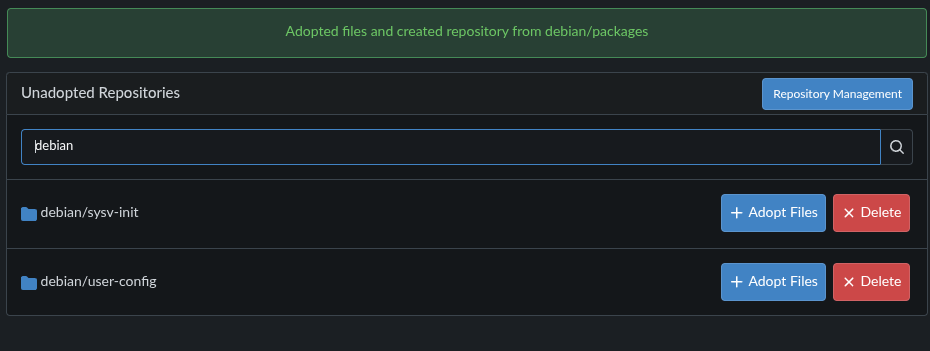
Unadopted Repositories dialog, indicating successful repo import
click on image to enlarge
x
Repeat the import of repos until the list of unadopted repos is empty. Done.
Unadopted Repositories dialog
click on image to enlarge
x