adding ssh keys for comfortable push/pull
| created on | August 29, 2025 |
With your ssh public key registered with Gitea, you can push and pull to and from Gitea without being asked for your password for every action.
When signed in into Gitea,
- click on your avatar in the upper right corner, choose Settings
- in the User Settings Menu on left hand, choose SSH/GPG Keys
- in the Manage SSH Keys Section in the middle/right side, add your ssh public key.
In a terminal, print out the ssh public key:
rudolf@idoru:~$ cat ~/.ssh/id_ecdsa.pub
ecdsa-sha2-nistp256 AAAAE2VjZHNhLXNoYTItbmlzdHAyNTYAAAAIbmlzdHAyNTYAAABBBJmNYJkfiFHt+ktMviB6q8kvAGLQIhdv26ogu4/2bm0Y50/wDHD9lElR5rItPbOK7r+GQNbmPk1MBEF2joJ9gh0= rudolf@chevette
Copy the content of the key – that is, the whole line, here including the ecdsa-sha2-nistp256. Paste the key into the text area, like shown below and hit Add Key.
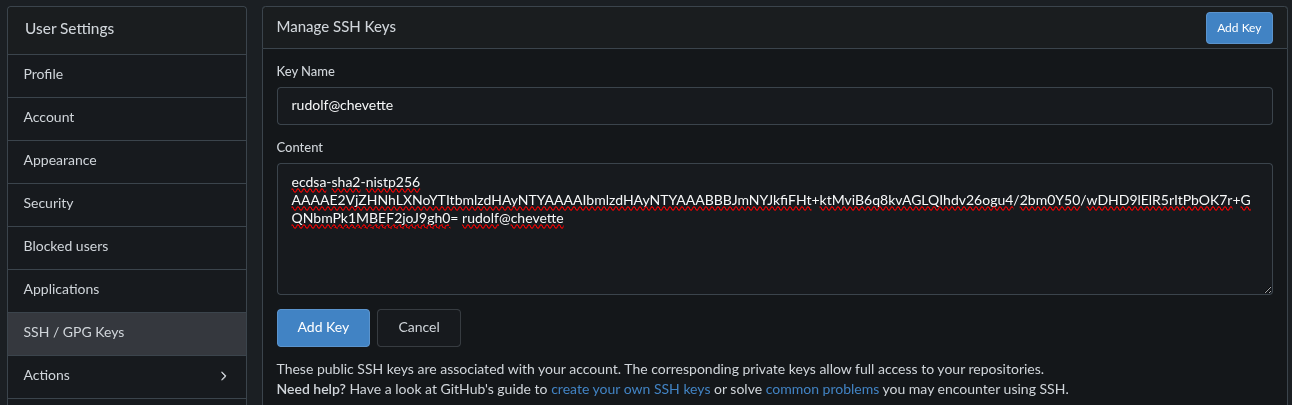
Adding ssh public key
click on image to enlarge
x
You can review the key on the same page:
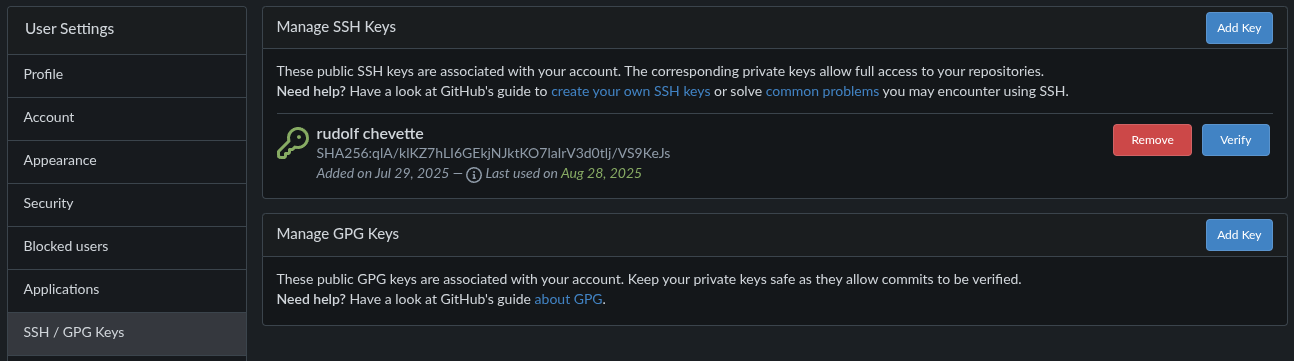
Reviewing ssh public keys
click on image to enlarge
x
Go to Site Administration. In the Maintenance Operations panel, go down to the line
“Update the ‘.ssh/authorized_keys’ file with Gitea SSH keys.” and click Run.
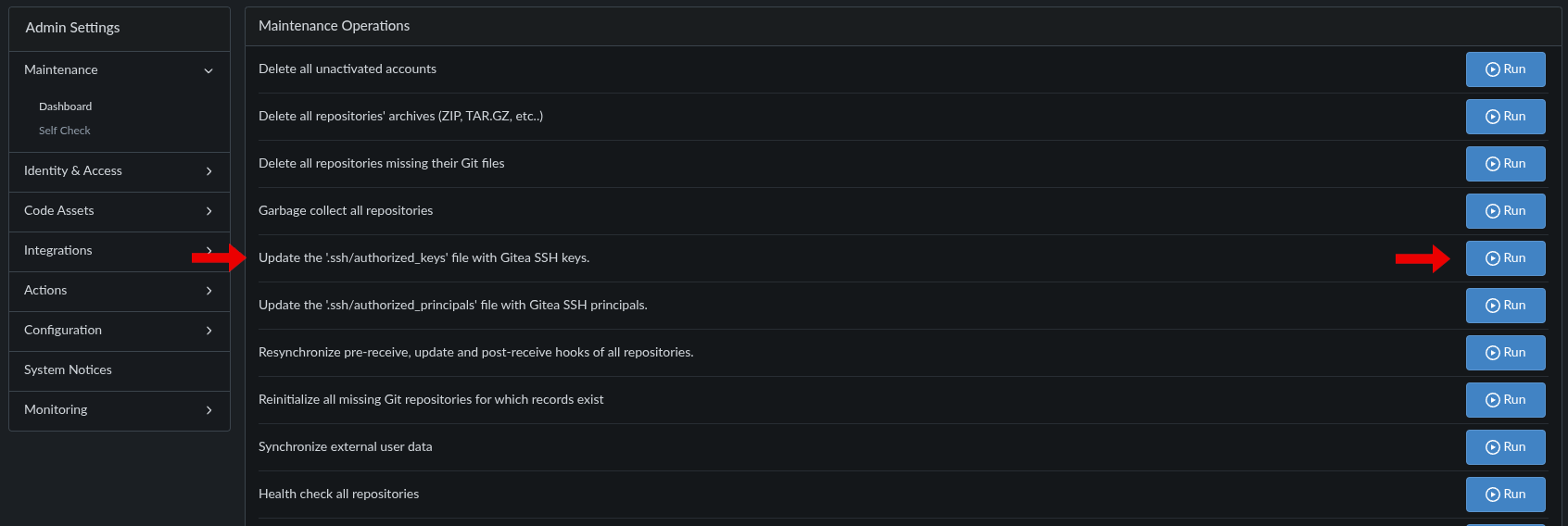
Updating gitea with added ssh keys
click on image to enlarge
x
The observant reader might notice that I’m working on machine idoru, but the key is from machine chevette.
Yes, I’m using the same ssh key on my user account on all local machines.
Now, if you clone a repo from gitea, make sure to clone it not with the HTTPS path, but with the SSH path:
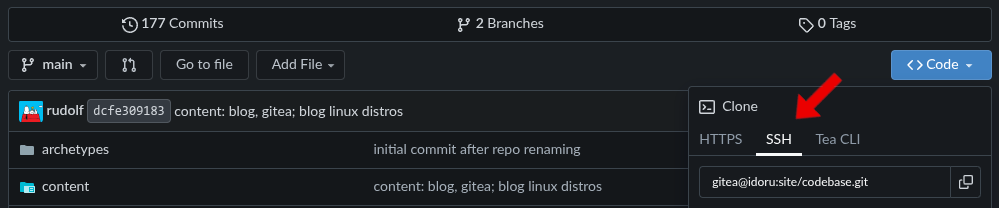
Cloning repo from gitea with SSH scheme
click on image to enlarge
x
If the origin of a git repo ist set to another scheme than the SSH scheme, you can fix that by editing and set the url in the section :
[remote "origin"]
url = gitea@idoru:site/codebase.git
or run in a terminal.